
Sketch to Finished Image
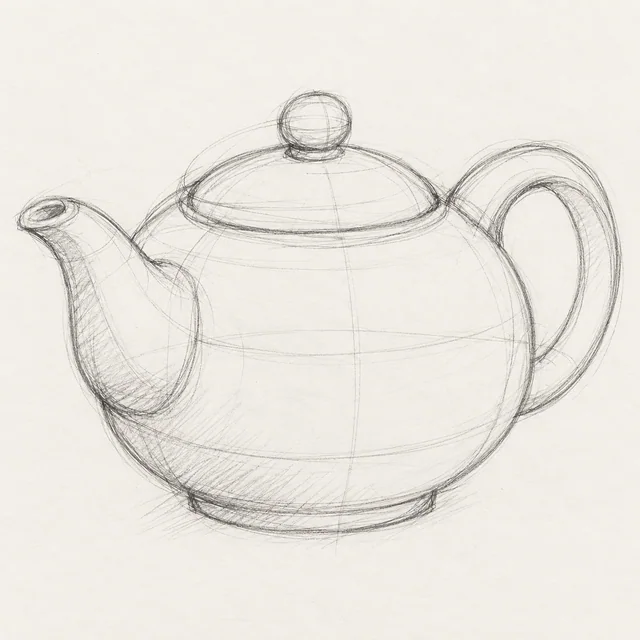
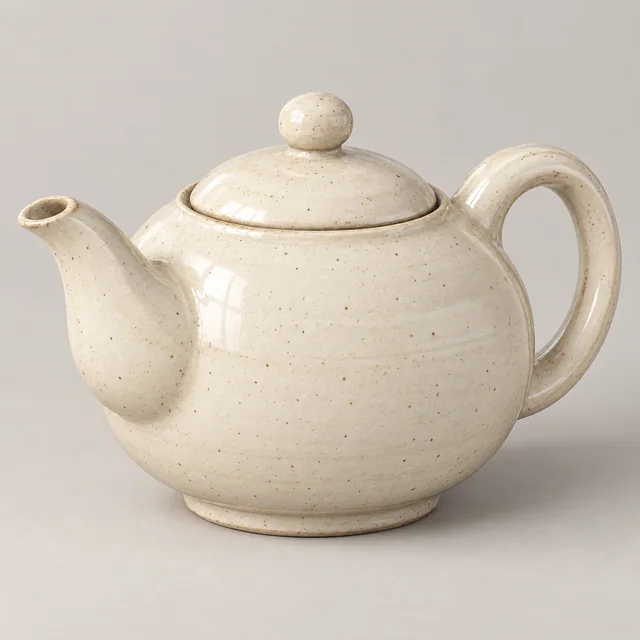
Develop a rough drawing into a finished image with convincing material, light and volume, using your lines as the guide for its shape and composition.
The image behind this look.
Bring your own
- Your sketch
Make it work with your image
Include the whole drawn object and leave a little paper around it. Match the output shape to the drawing when its silhouette is tall or wide.
Specify the intended material and finish in a sentence: glazed ceramic, brushed metal or painted wood. The sketch supplies structure; your direction supplies what the lines cannot show.
Make essential joins and openings unambiguous. Extra construction lines can be interpreted as seams, handles or decorative grooves.
Limitations
Perspective and hidden surfaces are inferred. A polished rendering is useful for exploring a concept, but it is not a dimensionally accurate CAD model or manufacturing drawing.


