
AI image Style
Surreal
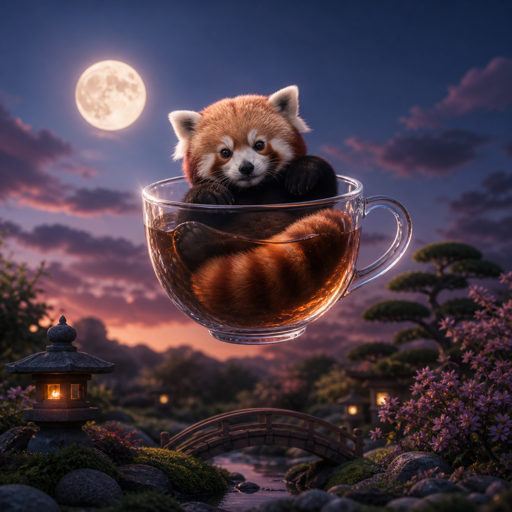
Unexpected scale, settings, or relationships place a recognizable subject in an impossible situation. Choose it for a visual idea that should make someone pause and look again.
Opens with Surreal selected. Add your idea or source image after entering.
Compare another lookMatch the look to the task
Where Surreal
can help.
- Conceptual campaign artwork built around one surprising idea.
- Editorial imagery for an abstract theme.
- Dreamlike places or story scenes that do not need physical realism.
When another look may fit better
- Several impossible relationships in one prompt can become visually confusing. Start with the one that carries the idea.
- Unexpected details may change the message. Choose Illustration for a clearer visual explanation or Photorealistic for a familiar real-world scene.
Your idea still matters
What to describe
with Surreal.
A Style guides the treatment of the image. Your prompt supplies the subject, setting, action, and the details that make it yours. Start with a sentence you can picture, then add what matters.
“A red panda botanist carrying a terracotta pot through a greenhouse, morning light.”
The character, prop, place, and light come from the prompt. Surreal gives those things a visual direction.
Start with one impossible relationship and describe it clearly, such as a tiny house inside a teacup.
Anchor the idea in a recognizable subject and setting. Say which element is large, small, floating, or out of place.
Name the focal point, atmosphere, and light so the surprise remains understandable.
Compare visual treatments
Which look supports
your idea?
Surreal This page
Unexpected scale or setting. Recognizable subjects in impossible relationships.
Photorealistic
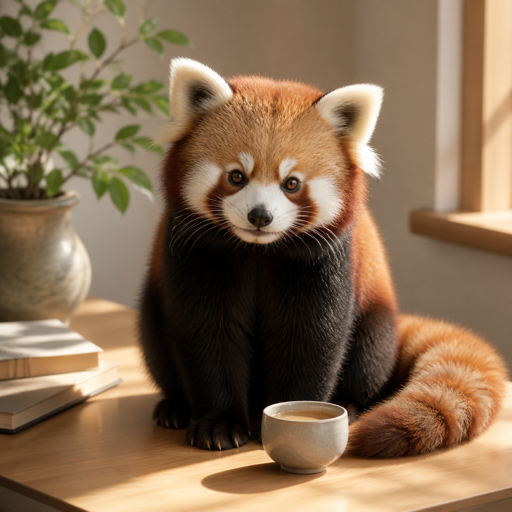
Natural surface detail. Light and depth that feel photographic.
Explore PhotorealisticThese red panda examples share a subject, but pose, composition, and light also differ. Use them to compare visual direction, rather than as a controlled test of Style settings.
How do you want
to begin?
You can make a new image from an idea, or take an existing image in another direction. The first result is a starting point you can keep exploring.
Signed-in results are saved as Creations you can reopen and continue. Guest work stays in this browser. Keep a useful result, try a variation or another transformation, and download when you are ready to use it.
Prefer to describe your own look? Create without a Style →