
AI image Style
Watercolor
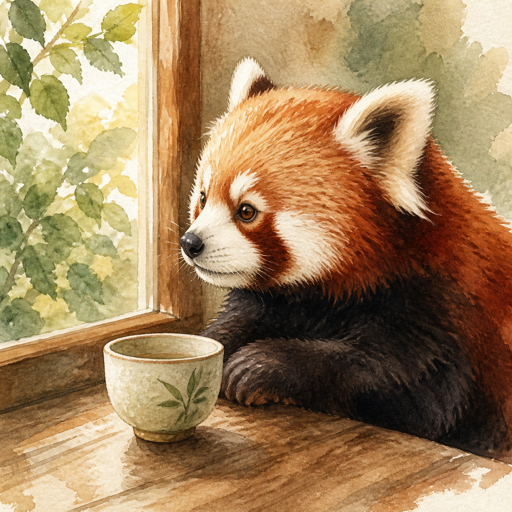
Transparent color washes, visible paper, and soft painted edges make a scene feel light and handmade. Choose it when atmosphere and color relationships matter more than crisp boundaries.
Opens with Watercolor selected. Add your idea or source image after entering.
Compare another lookMatch the look to the task
Where Watercolor
can help.
- Nature, travel, and quiet place illustrations.
- Gentle editorial artwork and personal stationery images.
- Portraits or characters that can benefit from loose painted detail.
When another look may fit better
- Soft edges are a poor fit for precise diagrams, tiny text, or sharp product markings.
- Exact color boundaries and small repeated details may drift. Choose Ink for a stronger outline or Photorealistic for material detail.
Your idea still matters
What to describe
with Watercolor.
A Style guides the treatment of the image. Your prompt supplies the subject, setting, action, and the details that make it yours. Start with a sentence you can picture, then add what matters.
“A red panda botanist carrying a terracotta pot through a greenhouse, morning light.”
The character, prop, place, and light come from the prompt. Watercolor gives those things a visual direction.
Describe the subject, setting, and the feeling of the scene. Keep the main silhouette easy to recognize.
Name a few important colors and the light. Leave some breathing room instead of filling every part of the image with objects.
Say which detail needs definition, such as the face or a flower, while allowing the surroundings to remain softer.
Compare visual treatments
Which look supports
your idea?
Watercolor This page
Transparent color washes. Soft edges and visible paper texture.
Photorealistic
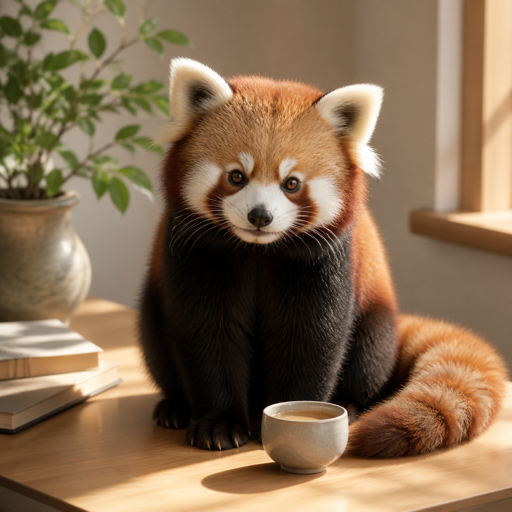
Natural surface detail. Light and depth that feel photographic.
Explore PhotorealisticThese red panda examples share a subject, but pose, composition, and light also differ. Use them to compare visual direction, rather than as a controlled test of Style settings.
How do you want
to begin?
You can make a new image from an idea, or take an existing image in another direction. The first result is a starting point you can keep exploring.
Signed-in results are saved as Creations you can reopen and continue. Guest work stays in this browser. Keep a useful result, try a variation or another transformation, and download when you are ready to use it.
Prefer to describe your own look? Create without a Style →